
XPK Cluster Create
Simplifying AI Infra Management
You’ve probably used terraform and kubectl to set up infrastructure and deploy code to it (if you haven’t, thanks for stopping by, but this post might not be super interesting for you. Maybe try another?) But be honest, how much do you actually like writing all those config files? And how often does it actually do what you wanted the first time?
The problem only gets more complicated when dealing with a big distributed system like AI Hypercomputer. You have to coordinate node pools, accelerator types, networking, storage, and good luck if you want to change just one thing without breaking everything else.
This is where xpk comes in. xpk is an open-source tool that simplifies infrastructure management and deployment for AI workloads on Google Cloud.
Infrastructure as command
xpk can be used for many things on your AI journey – from infrastructure management, to workload deployment and troubleshooting. But for today, let’s focus on the benefits of deploying a GKE cluster using xpk, what you might call infrastructure as command.
xpk cluster create... is not designed to create any computing environment you want. Instead, it provides a set of opinionated options for making a high performance AI cluster on GKE. It’s a step up on the abstraction ladder from typical infrastructure as code. It lets you describe just the important parts of your cluster without having to worry about every detail. Complicated interconnected pieces like node pools and cluster-wide operators are just simple command line flags. And the best part is, it is fully idempotent – it will make the cluster match your desired state regardless of how many times you run it. This means that you can run the same command twice and just change a single flag to get the result you want. Instead of failing because there is already a different cluster in place, xpk detects the existing cluster and just updates it to match your create command – including deleting old parts that shouldn’t be there!
To explore why this is useful, let’s go along a simple AI Infra journey together. If you want to follow along for yourself, make sure you install xpk for yourself.
The evolving cluster
Let’s start with a basic AI cluster with two nodes and L4 GPUs. You can specify project and location parameters in your command, but to keep it simple, we’ll define them once upfront with gcloud and xpk will pick them up from there,
gcloud config set project [MY_PROJECT] # Change to your project ID
gcloud config set compute/region europe-west4 # I'm using this region, but you might want a different one
gcloud config set compute/zone europe-west4-b # I'm using this zone, but you might want a different one
Next, deploy the basic cluster:
xpk cluster create \
  --cluster my-ai-cluster \
  --device-type l4-1 \
  --num-nodes 2 \
  --spot # I am using spot nodes, but you can also specify flex or reservation for your accelerators
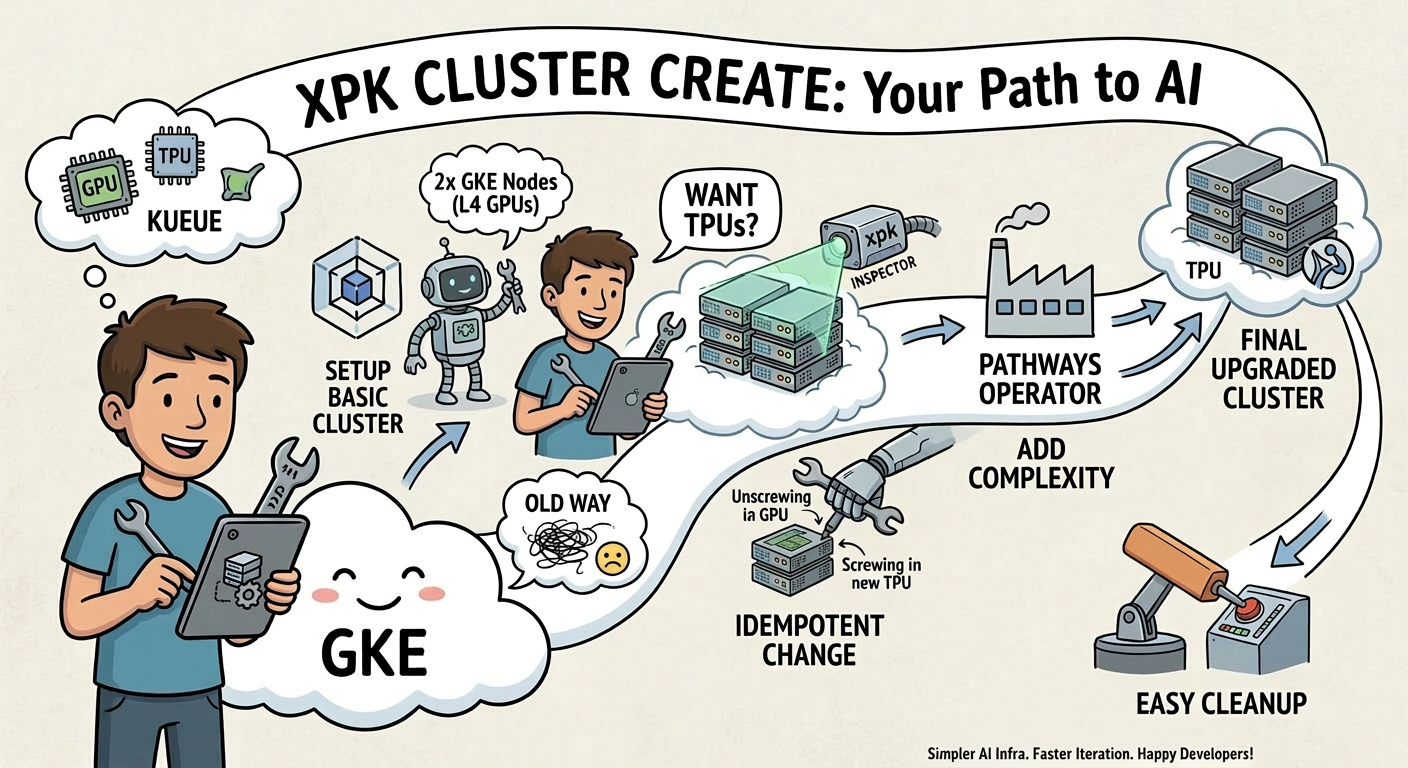
This first command will do the work of setting up the GKE cluster, allocating the nodes you specified, and setting up kueue to manage your workloads across your available hardware.
Let’s say you want to move your workloads to TPUs, but keep everything else about the cluster the same. You shouldn’t have to start from scratch!
xpk cluster create \
  --cluster my-ai-cluster \
  --device-type v5litepod-16 \
  --num-slices 2 \
  --spot
This second command will be much faster! You simply swap out the node pools on the existing cluster and update some kueue resource definitions to reflect the new accelerator type.
XPK Cluster Create: Your Path to AI
Finally, what if you want to run a single job across multiple (even hundreds or thousands of) TPUs? Let’s look at a step to add the Pathways operator for when you really want to scale out your TPU jobs (for this example, we’ll keep it simple, with just two slices)!
xpk cluster create-pathways \
  --cluster my-ai-cluster \
  --tpu-type v5litepod-16 \
  --num-slices 2 \
  --spot
The only thing that changed was create-pathways, and xpk will detect that and add the operator to your existing cluster!
Clean up
Of course, xpk makes it easy to clean up as well. To delete your cluster and node pools, simply run the command:
xpk cluster delete \
  --cluster my-ai-cluster
What’s next
xpk can make a complicated task like AI infrastructure management much faster, but it can do much more, too. For further reading, check out these resources:
Stay tuned to this space for more on xpk or the Google Cloud Blog for the latest news on Google Cloud.